Imphenzia Workshops
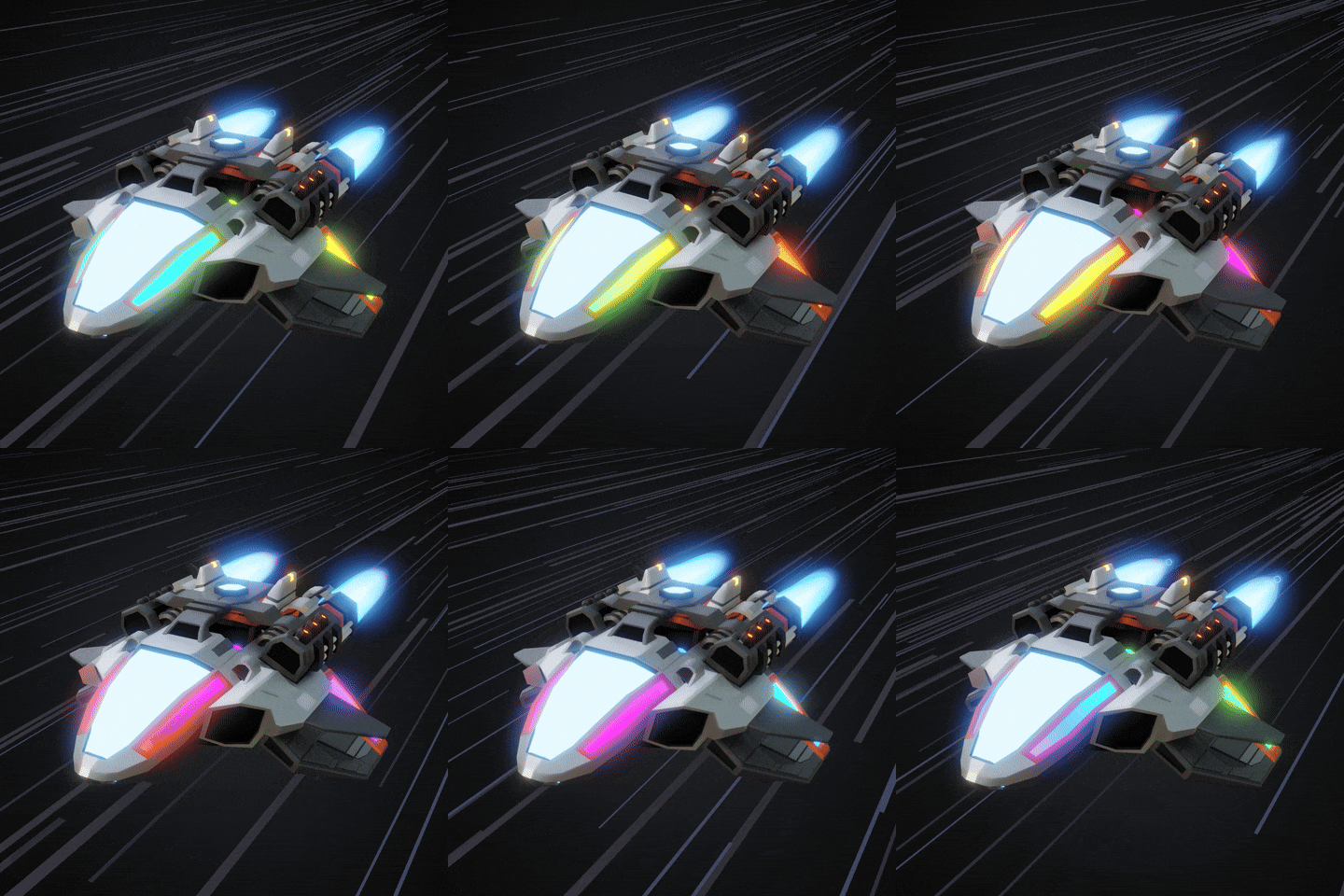
Learn Blender 5 - Space Race
A guided, beginner-friendly journey where your creations take flight. By the end of the workshop, you'll have designed your own original spaceship. Join as part of a live Wave, and your ship also gets featured in an Imphenzia showcase video and appears in a mini-game as a randomized hero or enemy ship alongside the rest of your cohort's fleet — a fun way to see your work come alive.
What Participants Are Saying
“Great Workshop!”
— Gwiz
“Worth it”
— Sarief
“Imphenzia is the Low-Poly Guru”
— MortG
“Really enjoyed the spaceship workshop! It provided good foundational skills and a fun atmosphere to make ships in!”
— ShawnTheAviator
“This workshop was concise and on point. Pure gold!”
— Attila
“The Imphenzia Space Race workshop was a great learning experience. The videos were detailed yet concise and Stefan explained each step thoroughly. With a dedicated Discord channel, there was plenty of opportunity to gain feedback and to also get support if needed.”
— MaddisonDesigns
“Imphenzia, To boldly go where no low poly model spaceship has gone before. And for the earth lings. Yes he is as friendly as in his YouTube video's”
— codesnippy
“The workshop was tons of fun! As a beginner it helped me learn how to model quickly and confidently.”
— Ryan
“Fun workshop! Awesome low poly workflow!”
— CptTiki
3D Spaceship Modeling Workshop
Ten days from "I've never opened Blender" to a finished, glowing spaceship you actually made.
No prior experience needed. No getting lost. No half-finished project sitting in a folder somewhere.
You'll model, color, light, and animate a real spaceship — the kind you'd be happy to drop into a game or put in your portfolio — with me walking you through every single step.
Here's what you'll have at the end
Not "skills." Not "knowledge." Actual things.
- A finished 3D spaceship — modeled, colored, glowing, and animated with a flying particle trail, ready to show off.
- A game-ready FBX file, checked and validated so you know it actually works — not just a pretty render that falls apart the moment you try to use it.
- Your own personalized PDF guide, built from your work as you go — your screenshots, your results, all the shortcuts, all in one place you'll actually come back to.
- A certificate with your name on it, carrying the crest of the mosaic our whole group builds together, one pixel per finished step.
- A shot at being featured — live wave participants may have their ship appear in an Imphenzia showcase video and in a mini-game.
Why this works when tutorials usually don't
If you've tried to learn Blender from scattered videos before, you already know the problem. You watch a tutorial, it skips something "obvious," you fall behind, and the project gets abandoned in a folder you never open again.
This isn't that.
Every step tells you exactly what to do next. Extra help — private lessons, template downloads — shows up exactly when you need it, not buried in a menu you have to go dig for. You submit your screenshots and renders right inside the workshop, and watch your own checklist fill in as you go. It's genuinely hard to get lost here, because the whole thing is built so you never have to guess what comes next.
And you're not doing it alone. Everyone's milestones land in a shared activity feed and our Discord — so when you finish a step, you can feel the rest of the group finishing theirs too.
The 10-day build
Phase 1 — Basic Modeling & Symmetry
No slow interface tour. You're modeling your first ship almost immediately, using just 5 shortcuts you'll actually remember. By the end you'll have up to ten symmetrical spaceship blockouts and a real feel for low-poly modeling. Already know Blender? You'll fly through this and use it as a warm-up.
Phase 2 — Detail & Speed
Your blocky hull turns into something that actually looks intentional. A handful of new tools and a couple of Blender's own extensions let you add real detail fast, without slowing down.
Phase 3 — Color
Full color, no UV unwrapping — the step that stops most beginners cold, and here it takes minutes. You'll grab the Imphenzia PixPal palette and apply metallic or matte materials with a workflow built for speed.
Phase 4 — Glow, Animation & Post-Processing
This is where your ship stops looking like a model and starts looking like art. Glowing accents, animated lights, bloom and post-processing — your spaceship goes cinematic.
Phase 5 — Modules & Repetition
You'll learn to build reusable modules so a bigger, more detailed ship doesn't mean starting from scratch. Small parts, combined well, turn into scale and variety fast.
Phase 6 — Polish & Export
Final details, then a clean export to game-ready FBX. The site checks your file automatically and tells you if anything needs fixing — so you're not guessing whether it'll actually work in an engine.
Phase 7 — Final Submission
Submit your favorite build. If you're in a live wave, this is your shot at the showcase video and the mini-game.
Phase 8 — Extra Credit: Thruster, Camera, Particles & Animation
Push further with a glowing animated thruster built in Geometry Nodes, a camera setup, flying particles for a sense of speed, and a looping animation preview worth sharing.
Why learn this from me
I've spent years teaching Blender and low-poly modeling on YouTube, to an audience in the millions. The feedback I hear most isn't "nice video" — it's people telling me this is the first time they actually learned, instead of just watching someone else do it.
This workshop is that teaching approach, taken further than a video ever could be. It's guided, it's structured, it's checked at every step — everything I've learned about where people actually get stuck, built directly into the format so you don't get stuck there too.
Two ways in
Live Wave — $99
Go through it alongside everyone else in this round. Your steps light up pixels in this wave's collaborative mosaic, your milestones show up in the shared activity feed and Discord, and your finished ship is eligible for the showcase video and mini-game. The mosaic — finished or not — becomes the crest on your certificate.
Retroactive Access — $49
Go at your own pace with the full curriculum, all 8 phases, your personalized PDF guide, and your certificate. No live mosaic, activity feed, or showcase eligibility — just you and the workshop, whenever you want it.
Quick questions
I've never used Blender. Will I be lost?
No. Phase 1 assumes zero experience and gets you modeling almost immediately. Everything after that builds on what you just learned, one step at a time.
I already know Blender — is this still worth it?
Yes. You'll move faster through the early phases, then use that extra time to push further in Phase 8 or refine your final model beyond what's required.
What do I need to get started?
Blender (free) and a computer that runs it. That's it.
What if I don't finish in 10 days?
You can revisit and expand earlier steps anytime, and with retroactive access there's no clock at all.
What do I actually walk away with?
A finished, colorized, animated spaceship; a validated game-ready FBX file; a personalized PDF guide built from your own work; and a certificate. Not just "a certificate for showing up" — an actual thing you built.
Retroactive Access Available
Get all lessons + downloads (recordings only)
Prefer to join live instead? Get on the waitlist and we'll notify you the moment the next Wave opens for sale.
No spam. Only notification when sales open.