Animating a Character
I encourage you to create your own animations for your characters and for your game. This is how you create your own animation.
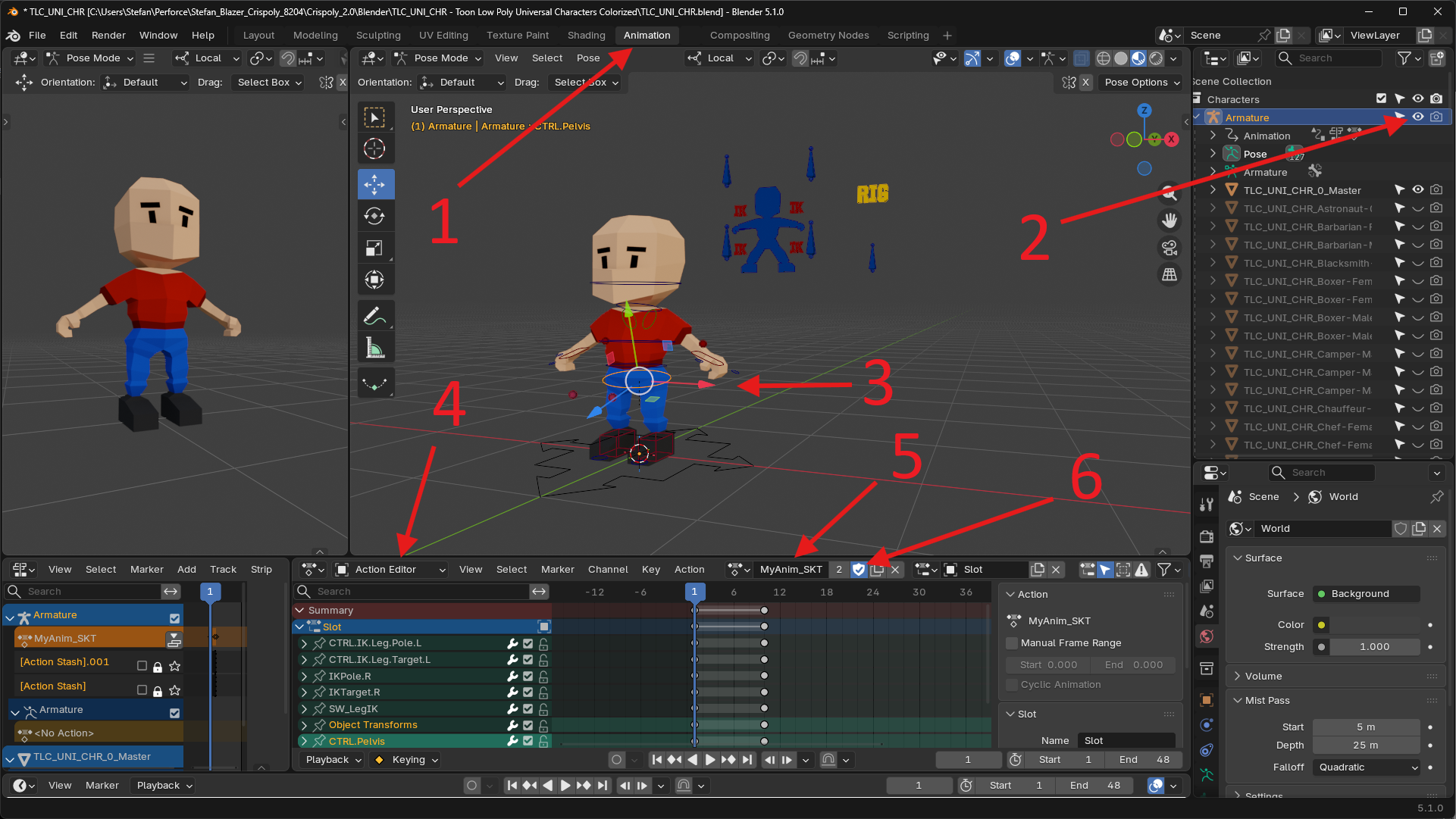
- Go to the Animation tab.
- Ensure that the Armature is visible in the Outliner.
- Select the rig and press Ctrl+Tab to go into Pose mode
- Ensure that you see the Action Editor at the bottom
- Create a new action and give it a name - make sure it ends with _SKT
- Tick the shield icon to give the action a 'fake user' so it doesn't get accidentally removed
Enable Auto Keying, scrub through the timeline in the action editor, and modify the position and rotation of rig elements.