Working With The Imphenzia PixPal Pro Material
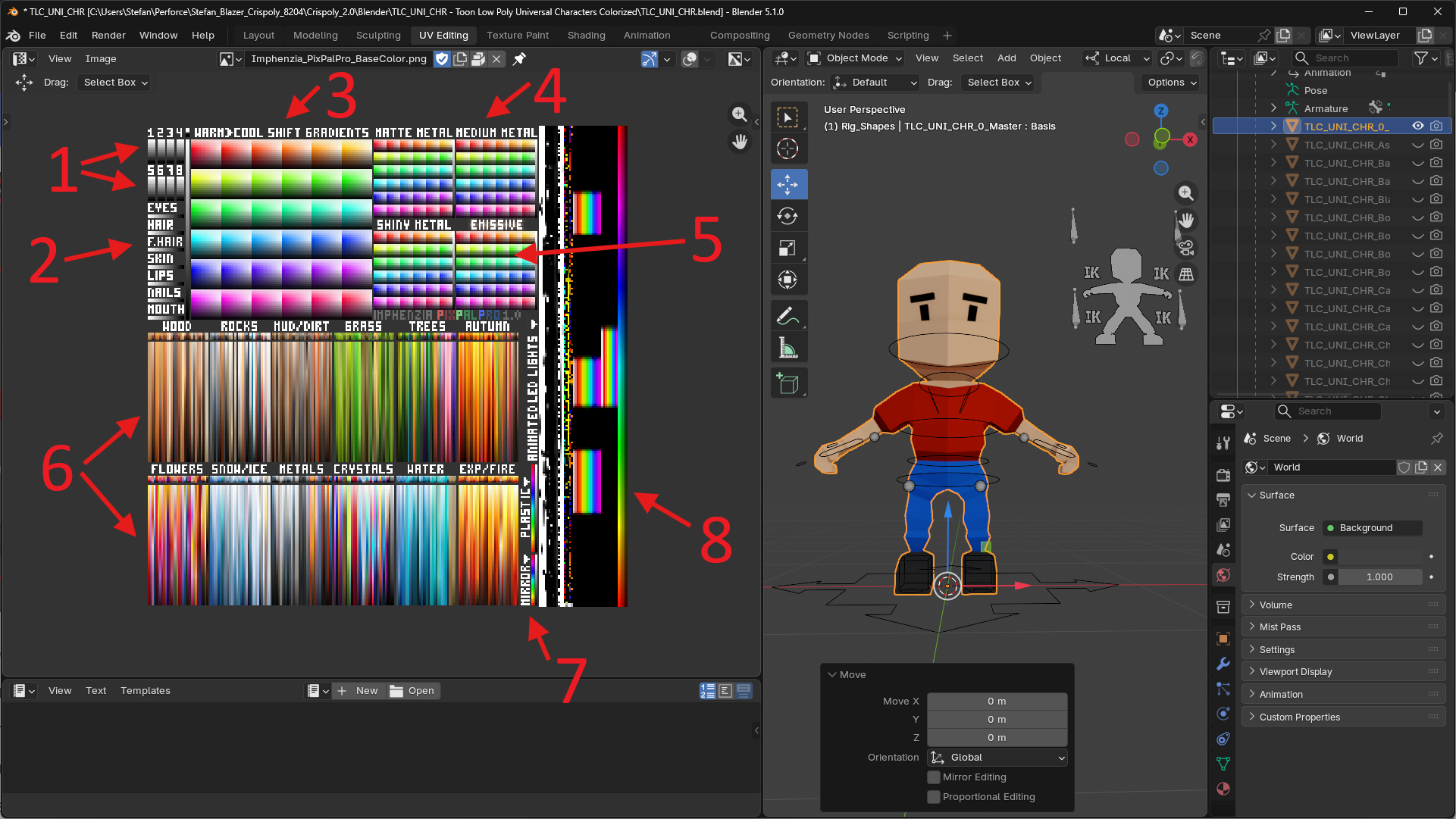
This is the BaseColor texture of the PixPal Pro palette texture. You colorize your meshes by shrinking down the UV islands to become infinitely small and placing them on colored pixels.
- The 8 primary colors that can be tinted. The characters shirts use primary color 1, pants use color 2, shoes use color 3, and so on.
- The human colors - all characters have their UVs placed here for for skin tones, hair, and facial hair etc.
- Permanent colors - if you place UVs here, objects will always use that color and it will never be recolored.
- Metallic colors - these colors have high metallic value and low roughness values making them reflective and metallic.
- Emissive colors - these will show without lights and bloom when using post processing.
- Gradient colors - colors suitable for materials and nature - you can stretch UVs and place them here for a gradient effect.
- Mirror and plastic colors - very high reflective properties
- Animated emissive colors - the material cycles through this area vertically, use it for glowing blinking and color-shifting parts.
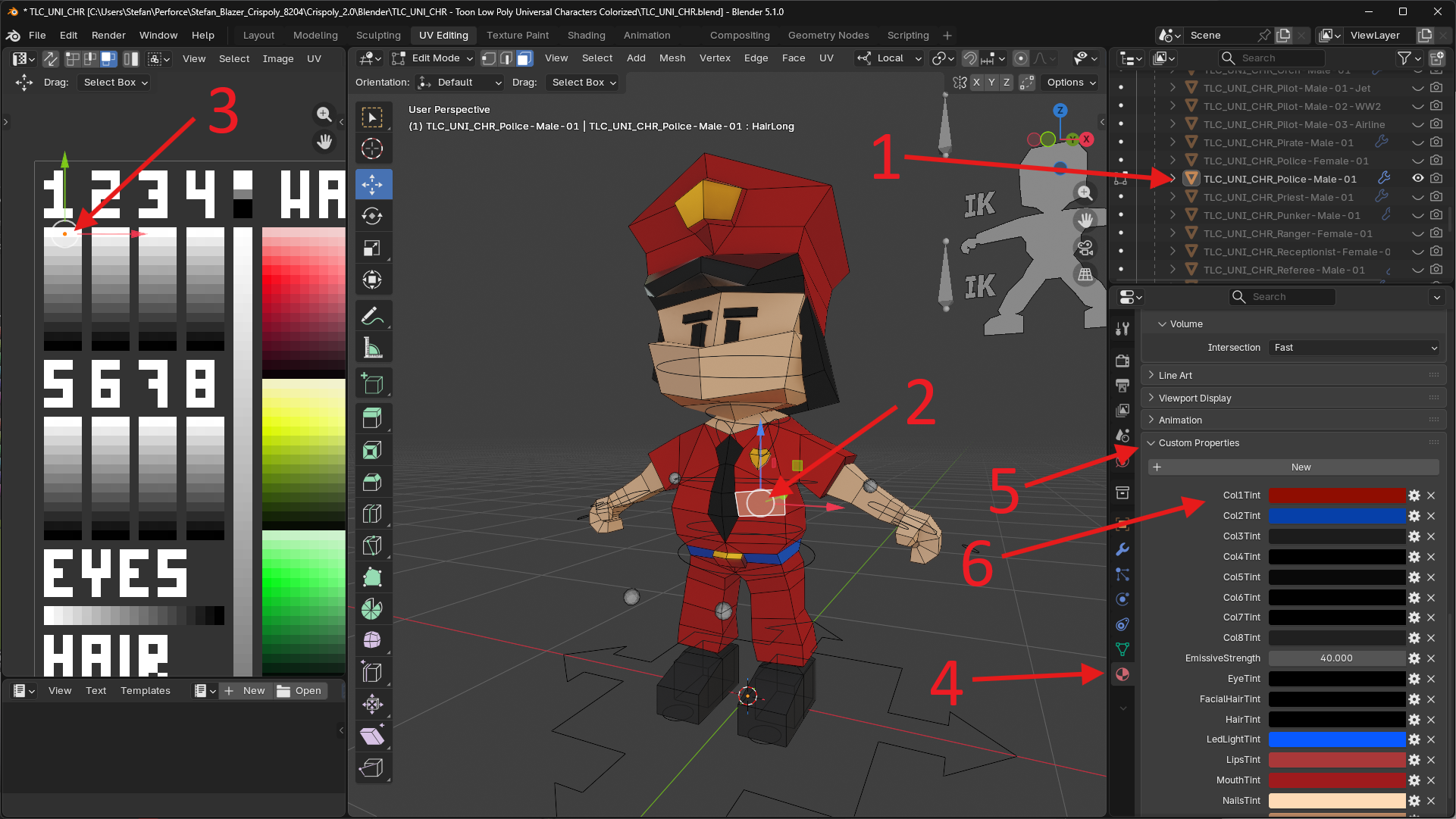
The Police Character (1) is shown - and WHY on earth is it red!? It's because the faces of the uniform (2) have their UVs shrunk down and they are placed on Primary Color 1 (3) in the UV editor. And in the Material Tab (4) under Custom Properties (5) Col1Tint (6) is configured to be Red by default, and that's why the police character shows up as red here.
By changing Col1Tint to blue, the police will look correct in Blender, but other character's will also become blue because they are all sharing the same material. In game engines, you use material instances for different characters that share the same color tinting. In Blender, however, we just use one material and when you create characters, you can temporarily change the color tints while you work on the characters so they look right.
We use the primary tintable colors here instead of the fixed colors in the palette because it makes it easy to make variations. Maybe the police should have a light blue, or a dark blue, or a black uniform, and in game engines we just create a material instance to change the color.
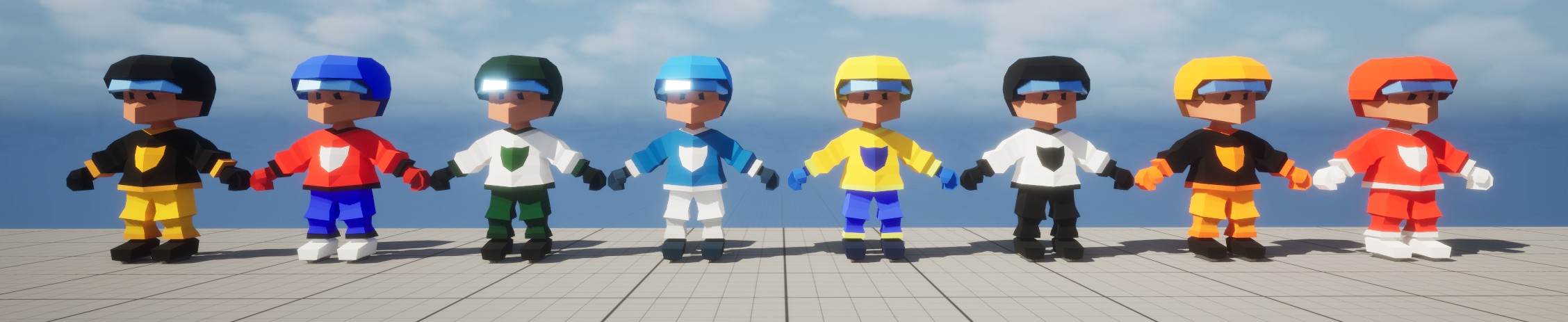
Using the technique of tintable colors is especially useful in cases where you need many different color variations for characters. For example, this is the same hockey player mesh, but with different material instances and color tints, the same mesh can be used for any team. This is one of the limitations of the original PixPal palette texture which PixPal pro solves with tintable colors.